YOUR BRAND. YOUR WORKFLOW. YOUR STUDIO.
Your business.
More room to grow.
Chain inventory, customer waivers and guided jewelry selection—personally configured for your business. See how Studio’s setup and service costs compare, and what you could keep for your next event.
Studio · VAULT · Sunstone · GlossGenius
Your kind of business.
01 Setup is part of the picture.
02 Choose the plan you would use.
03 Different tools. Different strengths.
PERSONAL SETUP. PRACTICAL PRICING.
More room
in your budget.
See what Studio can save you, including setup. Choose the plans and billing periods that fit your business—the totals and differences update together.
These are price comparisons, not claims of identical features. Totals exclude taxes, payment processing, optional add-ons, usage charges, domain renewals and migration work. No competitor setup fee was listed in the sources reviewed; confirm any onboarding charges.
Prefer a smaller upfront payment?Studio’s setup payment options
The same setup total, paid your way. Splitting setup changes your cash flow, not the total shown above.
First monthly bill: 30 days after activation. Early payoff is available. If service is cancelled, any unpaid setup balance remains owed.
START WITH THE WAY YOU WORK.
The details that
make a difference.
Plans below follow your selections above. Studio is a personally configured service; the other platforms describe subscription features.
Studio scope describes what is included in your commissioned setup.
Not verified means we could not confirm the capability from the sources—not that it is unavailable.
Competitor entries reflect published descriptions, not hands-on certification. Studio’s interactive demo illustrates the workflow; customer deployments require configuration and acceptance testing.
THE PERSONAL PART.
A workspace that feels
like your business.
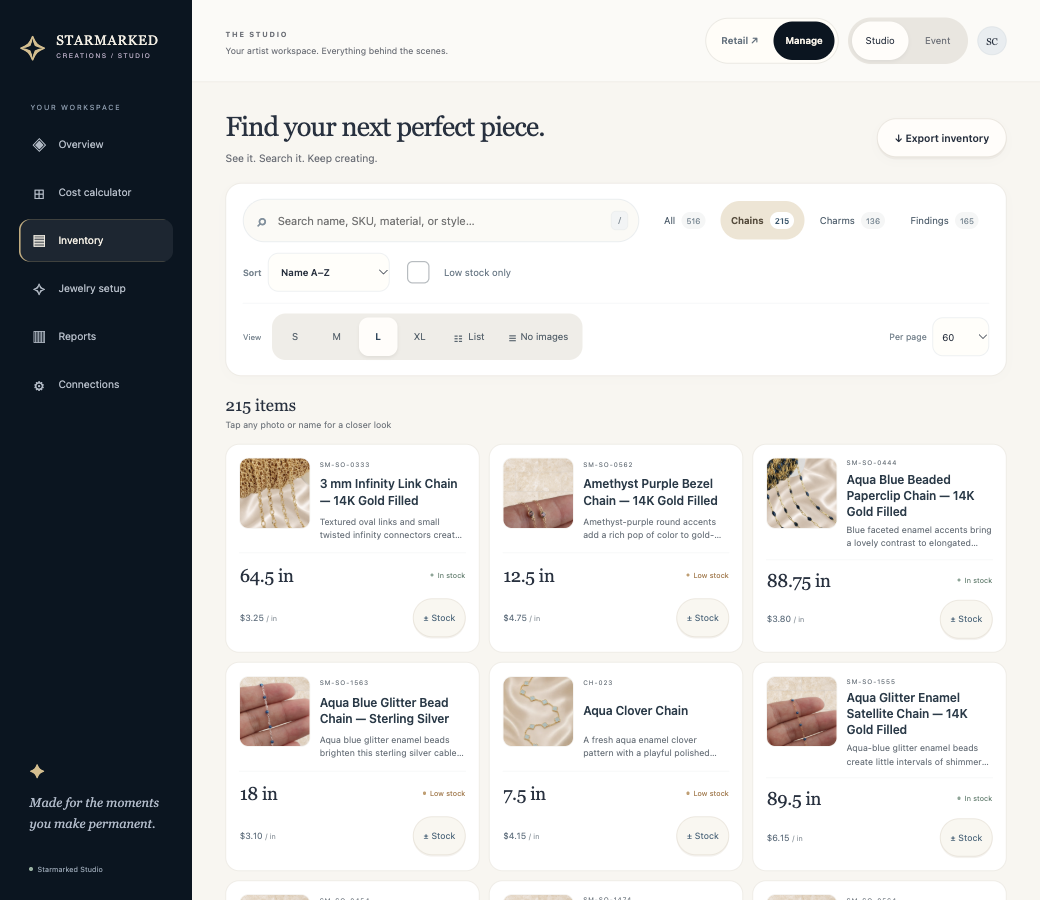
Your colors, your presentation, and guidance from people who work in permanent jewelry. These Studio screens show three possible directions.
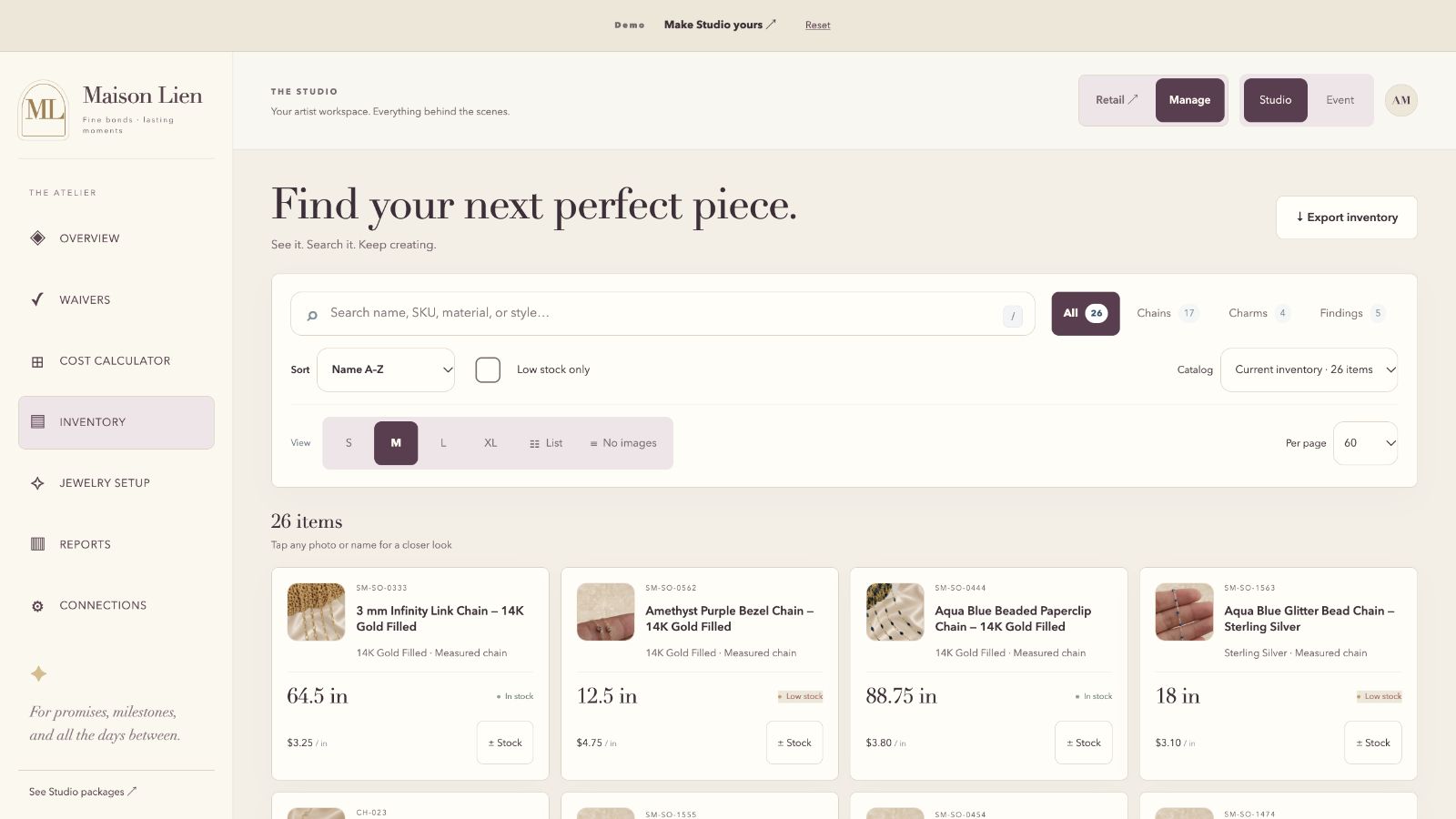
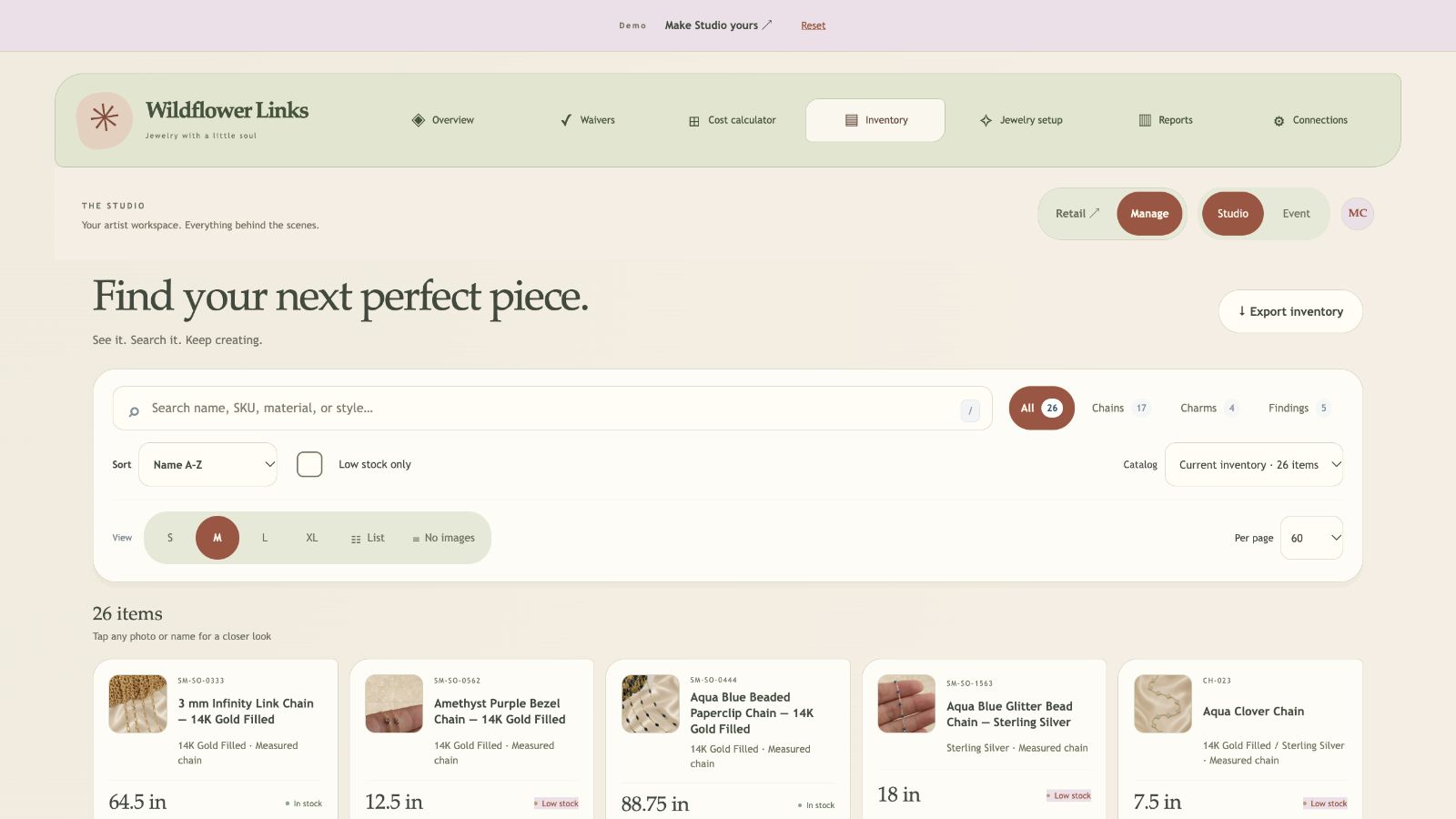
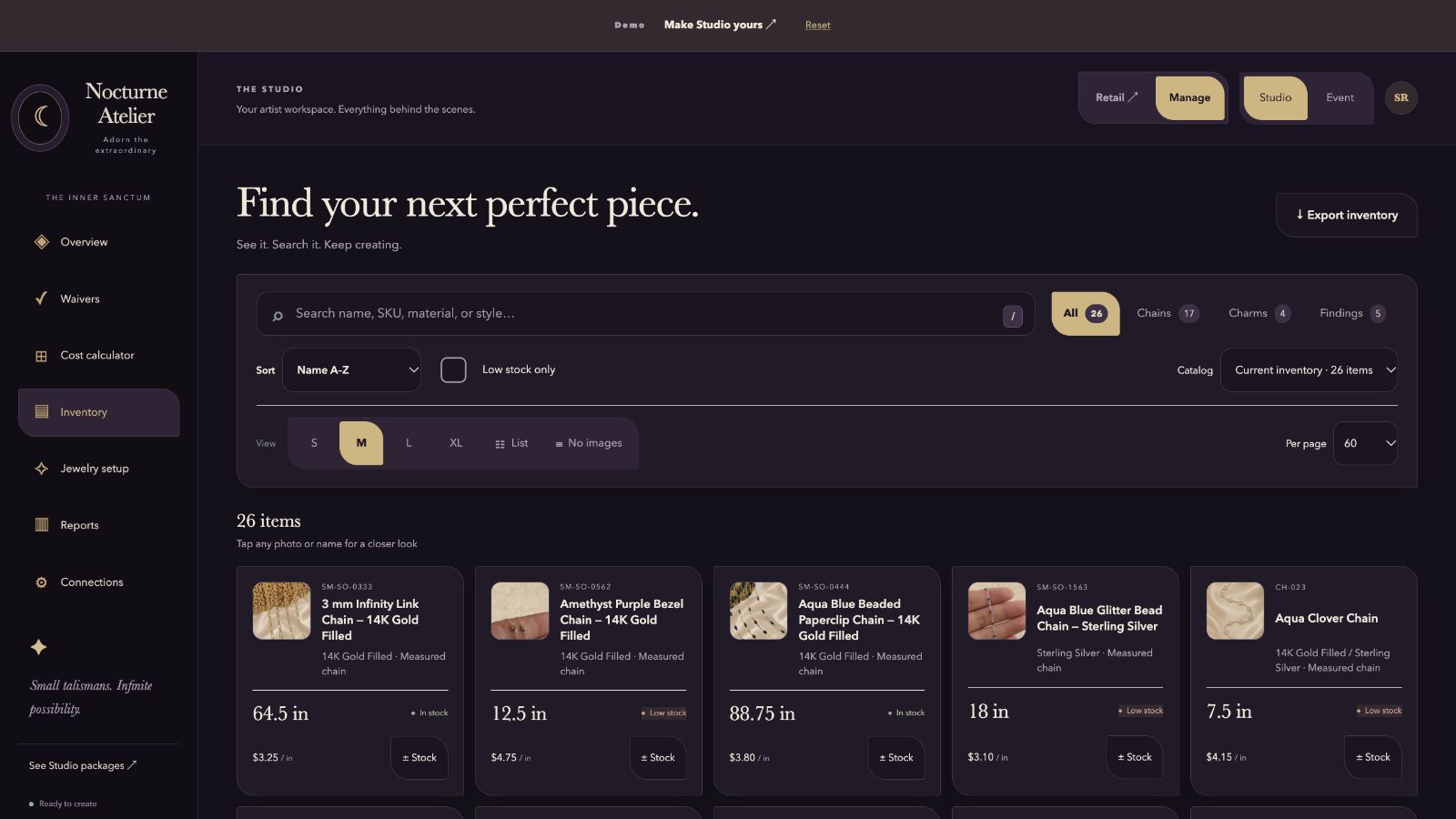
Visual starting points for a personal build. Other providers also offer branding options; the comparison above explains the documented differences.
NOTHING TUCKED AWAY.
A fair comparison.
Down to the details.
Choose what matters to you. Price is one part of the decision; workflow, setup help and included features matter too.
What do 12 and 24 months mean here?
We compare setup plus 12 or 24 paid service months. For monthly plans, that means 12 or 24 bills. For GlossGenius annual billing, it means one or two annual payments. This is not a prediction of spending in the first calendar year after signup.
Studio’s first monthly bill is 30 days after activation. Sunstone advertises a 30-day Pro trial. Other trial offers should be checked with the provider. Build time and free periods do not count as paid service months.
Why start with GlossGenius Gold?
Gold is the first GlossGenius plan that lists forms and waivers. Standard is available in the selector and costs less, but its published plan summary puts forms and waivers in Gold. You can also choose annual billing and see the full annual charge.
What changes after Studio’s first 12 bills?
Studio on its own stays at $20 per month. Website + Studio includes $20 monthly service for the first 12 bills, then $25 per month. If you split setup, the first 12 payments also include your remaining setup balance. Setup is counted only once in the comparison.
What is outside these totals?
Taxes, payment-processing fees, optional software, SMS or email usage charges, hardware, domain renewals, extra design work and migrations are excluded. The standard Studio setup includes one Square or Stripe connection; other integrations and terminal synchronization are scoped separately. The Website + Studio package includes one eligible standard-priced domain for the first year.
Competitor setup fees are treated as zero in this estimate because none were listed on the reviewed pricing pages. This is not a guarantee that every optional onboarding service is free.
Can I use my preferred payment provider?
Yes. We’ve tested Square, Stripe, PayPal, Clover and Coinbase. Standard Studio setup includes one Square or Stripe connection. Other providers can be arranged—ask us about yours, and we’ll confirm the scope and any additional cost before you purchase.
Payment processing, online checkout and physical terminal synchronization can have different requirements. We’ll agree on the workflow you need before setup.
Is this an independent review?
This comparison is prepared by DanieleLabs, the provider of Starmarked Studio. We name the plans, link to official sources and distinguish published features from unknowns. We do not claim every product has the same scope or that Studio is the cheapest choice in every situation.
CHECK FOR YOURSELF.
Sources, not guesswork.
Pricing and plan descriptions checked October 27, 2026. Providers can change their offers.
SEE WHAT FEELS RIGHT.
Your next chapter.
Your own Studio.
Explore the customer experience and artist workspace. No account needed.